Learning by Design: Intentional Practice in Secondary Classrooms

Designing learning in a digital space isn’t about using technology for its own sake. It’s about being intentional with our choices—using digital tools to deepen engagement, amplify student voice, and connect learning to the world beyond the classroom.

This year, I’ve been fortunate to work with teachers from across the curriculum. One of the defining strengths of secondary teaching is the depth of subject expertise each teacher brings. Many have worked in industry or the commercial sector before entering education, and they carry that real-world experience directly into their classroom practice.

Take Abby, for example. A Social Sciences and History teacher, she brings both subject expertise and professional experience into her teaching. Having worked for several years with the Department of Conservation and in the environment and tourism sector, Abby is intentional about designing learning that helps students grapple with real-world issues — including how power operates, how decisions are made, and how systems shape people’s lives.

A Learn, Create, Share moment

Yr 10 Government systems

Learn
In Social Sciences, Abby’s students were exploring different systems of government. They built a shared understanding of how power operates by examining systems such as democracy, dictatorship, and authoritarianism. Students investigated how leaders come to power, how authority is exercised, and the role citizens play within each system, using contemporary and historical examples to ground their thinking.

Create
Students then chose a country — or designed one of their own — and applied their learning by developing a set of rules based on a chosen government system. Their task required them to clearly define the system, explain how power is acquired and exercised, outline decision-making processes, and identify key characteristics such as citizen rights and the rule of law. Some students used digital tools to visualise their ideas, others to structure explanations or present comparisons. The focus remained on clarity of thinking and depth of understanding, with technology supporting how ideas were organised and communicated.

Share
Students shared their work with their peers, explaining the logic behind their systems and responding to questions and challenges. Abby also embedded a voting form into the class site, allowing student choices to be captured and displayed in real time. Seeing the results update as votes were cast added an element of fun while deepening engagement with ideas about participation and decision-making.

Moments like this are a reminder that effective digital design is less about the tools we use and more about the intentional choices we make — choices that deepen engagement, amplify student voice, and connect learning to the world beyond the classroom.
 

How do you backup your files?

Back up is one of the easiest things you can do for yourself to avoid the stress that follows when you realise you’ve lost that document you just spent hours on or those gorgeous photos of your wee munchkin when they were 2.  A good rule of thumb is to have 3, 4 or even 5 back-ups of file storage in different places so if you loose one, get it stolen or it crashes your work is safely stored where you can retrieve it relatively easily.   I learnt this lesson the hard way.  I thought I was covered with an external hard drive which I used to store all my photos rather than on my computer, it died one day with no warning along with 400 photos.

A good back-up system would be something like an external hard drive, files on a memory stick and/or CD, as well as files stored in the “Clouds”  If you’re new to the term cloud computing you’re obviously not taking advantage of a great service that often comes free.  Cloud storage put simply is a storage service held on a remote server.  Some sites like Box.net offer a free storage for up to 1 GB, open a free account, create your online directory, then upload those important files.  Box.net also gives you the ability to collaborate with others which is great if you have a joint project at hand or are happy to share your resources.  There’s also a whole host of applications you can add to your account which for example gives you the tools to be able to edit your files on the go or from your phone.  If you require more than the 1GB storage you can upgrade for a reasonable fee, and at last you get have your head in the clouds.

Cloud storage is a good safeguard if you have to give a presentation or a lesson and you’ve left your memory stick at home, provided you remember to upload your latest versions you’ll always be well prepared.

Developing students’ self-management

The disruptions to students’ learning over the past two years has had it’s positive and negatives. On the one hand, I observe students’ being more adaptable, but on the other hand, I feel there has been a breakdown of routine and structure. I’ve observed some students thriving in open-ended learning environments, I find they are often the high achievers who are skilled at self-regulation. They can stick to deadlines for handing in assessments, and usually have their eye on the Merit or Excellence. Then there are those students who need more support paticularly when it comes to self-manangement. Often they are trying to play catch up at the beginning of term four when they realise the consequences of having not handed in their assessments.
From a teacher’s perspective, I’ve heard educators talk about how difficult it has been to get students to manage their time well and settle into basic routines with their learning. Although, 2022, was not quite as disrupted from Covid and lockdown learning, teachers I spoke to noticed how it was difficult to get some good momentum and continuity. That students were often absent and struggled to catch up on lessons missed during their abscence.
With that in mind, I thought about how important the first school term is in terms of developing a class routine. Guidelines and protocols that indicate to students where to find their learning and how to capitalise on their digital device for their learning.

I reflected on my thesis which I wrote for my Masters in Education, Enablers and Barriers to Self-Regulation in a BYOD class. TI find it a useful reference point to note and consider how far my practice has come in terms of delivering learning in the 21st century. My literature review research related to the key competencies particularly self-management.

One aspect I’ve decided to focus on in 2023, is to look at how to develop students’ self-management in a high school environment.   The slide deck below is the first in a series I will be creating to support teachers and their students.

Consolidating and refining practice

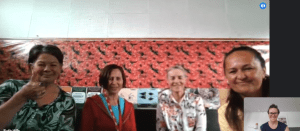
Bay of Islands College PD teamLate last year I was invited by Ruth Hills from Bay of Islands College, to be a part of a new team to support teachers’ professional development at the school. The aim of this initiative is to bring together all of the school’s facilitators from outside the school and the expertise within the school to collectively work together to aid teachers’ practice.

The group involves Nyree King from Te Āwheonui: Center for Professional Development and Learning at Te Whare Wānanga o Awanuiārangi who facilitates Culturally Responsive and Relational Pedagogy at the school, Susan Arrowsmith who has numerous strings to her bow, LPF & PaCT, Assessment for Learning to mention a few and Patsy Wynyard, the school’s Classroom Specialist Teacher and Head of Te Reo Māori.  My facilitation role brings Manaiakalani’s Learn, Create, Share pedagogy to the school

Ruth as the school’s Professional Development Leader will be leading the team.  Ruth has a lifetime of teaching experience that spans back several decades. Her embodiment of Learn, Create, Share, Culturally Responsive and Relational Pedagogy, Growth Mindset, Te Kotahitanga in and Kia Eke Panuku in the classroom is inspirational.  She’s presented at numerous Manaiakalani Secondary events on the merits of blogging at secondary school.  Click here to view Share to Learn, Empowerment through Connections.

I’m very excited to be a part of this team, and know I will learn a lot from the experience of these wonderful wāhine.

Let’s get creative

We use Google Slides a lot for presenting information, but with a little creativity we can use Google Slides as the basis of an animation or even a mobile app. By changing the format of the Google Slide to portrait instead of landscape, and adding a few hyperlinks you have an interactive app without the need to add any code. This aligns with progress outcome 2 and 3 from the Raranga Matihiko or Digital Technologies, Designing and Developing Digital Outcomes.

The slide below shows you how it works and there are a couple of examples for how this might be used with students. It could be there school organiser, a quiz that students create or an informative app about a topic. Share the slide deck/app with your phone, add it to your home screen and you’ve got your own customised app ready to go.

Manaiakalani Online Toolkits

Visible Teaching in secondary schools

This week I ran a toolkit on visible teaching in secondary schools.   It’s an important consideration especially when teaching online.  One of the things that is often overlooked, is sharing resources outside of the school domain.  In fact, by default, the share permissions on Google sites (within a school domain) are often set to published site viewable only to those at the school.  Most of the time, students will be able to view any content on a website but they will have to login to do so.  Remember, the key to visible teaching is removing any barriers, passwords and login actions.  You can change this setting to public which will mean the whole whanau, nannies and aunties can see what their tamariki are learning.  What’s more, if you’re thinking of inviting outside experts or community groups to your classes, they will also be able to get a feel for the kind of learning that happens with your students.  

Published site settings

In a world of sharing, having visibility on a class site, also means our colleagues and teachers across the country can learn from each other.  Gone are the days of hiding away photocopied resources from workmates for fear they may use them.  Twenty first teaching calls for collaboration and networking. 

Successful visible teaching starts with developing an effective workflow. Setting up a class site folder for everything that needs to go on the site helps keep everything organised.  Change the viewing permissions to ‘anyone with the link can view’, that way everything in that folder can be seen when it’s shared in a site. 

It’s possible to have files stored in multiple places using the shortcut key Shift + Z which can be really helpful if you are someone who also likes to have things organised in a planning folder or similar.  This shortcut doesn’t duplicate the file but instead, gives a shortcut making the file accessible in two places.  It is not a copy, so any changes will be seen on the document regardless of where it is being viewed from.

The recording and slides below show some simple processes teachers can use to ensure they have visibility and ease of access to their learning resources, with systems that help reduce their workload. 

If you want to see what else was offered at previous Manaiakalani Toolkits, you can review the archive by clicking here.  

DFI cohort 1 – 2022 is underway

Our online Manaiakalani Digital Fluency Intensive got off to a great start today. We have just over 50 participants from around the country, a good mix of primary and secondary school kaiako. If I think back to 2020 when we first held the DFI online, many people were quite new to using Google Meet. A couple of years on and with distance learning often happening in schools via Google Meet, teachers seem to be more comfortable with accessing our Google Meet links. The breakouts in Google Meets have made smaller group work that much easier too.

Today, during our Learn section of the agenda, I was reminded of how the name Manaiakalani came about. A toanga (gift) given by the local kaumatua of East Tamaki, Ihaka Samuels, it represents the star constellation that guided the early voyagers to Aoteroa. The translation is the Hook from heaven, a beautiful name that I know continues to shape the growth of Manaiakalani.

I’m looking forward to working with this wonderful cohort of teachers and principals over the coming weeks. Collectively, we hold so much experience and that will provide us with many opportunities to share and learn from one another.

For our Create session, I started an infographic about the upcoming Manaiakalani secondary school specific professional development events. We have the Department Discussions which start next week with Science on Tuesday 15th February and Maths on Thursday 17th February. To find our more information and to register, you can click here or on the image below.

Hari tau hou 2022

I enjoy this time of year. Summer holidays in New Zealand are a time to take stock and reflect on the year prior. It’s about reconnecting with friends and family of course, that goes without saying. Unfortunately, this time around has been a little different with Covid still lurking around. My house has felt empty with the absence of my son and his girlfriend, and visiting family further afield was put on hold due to the pending viral spread. Thank heavens for video conferencing, it sure fills a gap in these challenging times and helps to bring us a little closer.

The view from Tapeka Point in Russell looking back towards Opua and home.

We’ve had the best summer with plenty of warm sunny days, time spent at the beach and relaxing around home. My husband and I have frequented Long Beach over in Russel a lot. I feel so fortunate to have this special part of paradise on our doorstep. Thanks to a friend, I’ve also discovered the thrills of the Waitangi Mountain Bike park. I’ve also done plenty of horseriding and swimming which has led to physical exhaustion and satisfaction.

There have been copious amounts of cups of tea and fluffing about around home. My summer read has been Michael McIntyre’s latest book, Life and Laughing, great for an afternoon read before slipping into yet another nana nap . I’ve been driven to sort through piles of stuff, acquired debris from everyday living both in the house and the garden. Stuff that has gathered over the years but has always been left on the ‘I’ll do it another time’ list. It feels great to have the clutter sorted in preparation for the year ahead. Metaphorically, it’s helped frame an optimistic and positive outlook. Who knows maybe I can travel a little lighter mentally, physically and emotionally. I’ve also decided on a new mantra rhythm, routine and rituals to see me through 2022.

Despite the turbulent times we live in with Covid, Climate Change and economic uncertainty, I’d like to think good things are on the horizon. Maybe these challenges are there to make us re-evaluate our lives, and thus define what’s important to us. I think we could all do with swathes of kindness, laughter and compassion.

Feeling refreshed and renewed, I’m looking forward to getting back to work. This year amongst other things, I’ll be spearheading online secondary school Department Discussions. These will happen every term for each faculty domain and will provide plenty of opportunities to network and collaborate with peers across our high schools. You can find out what’s on and register by clicking here and reviewing the events on the Manaiakalani Secondary School support site calendar.

So here’s to a year of connection, insights and positive moments.